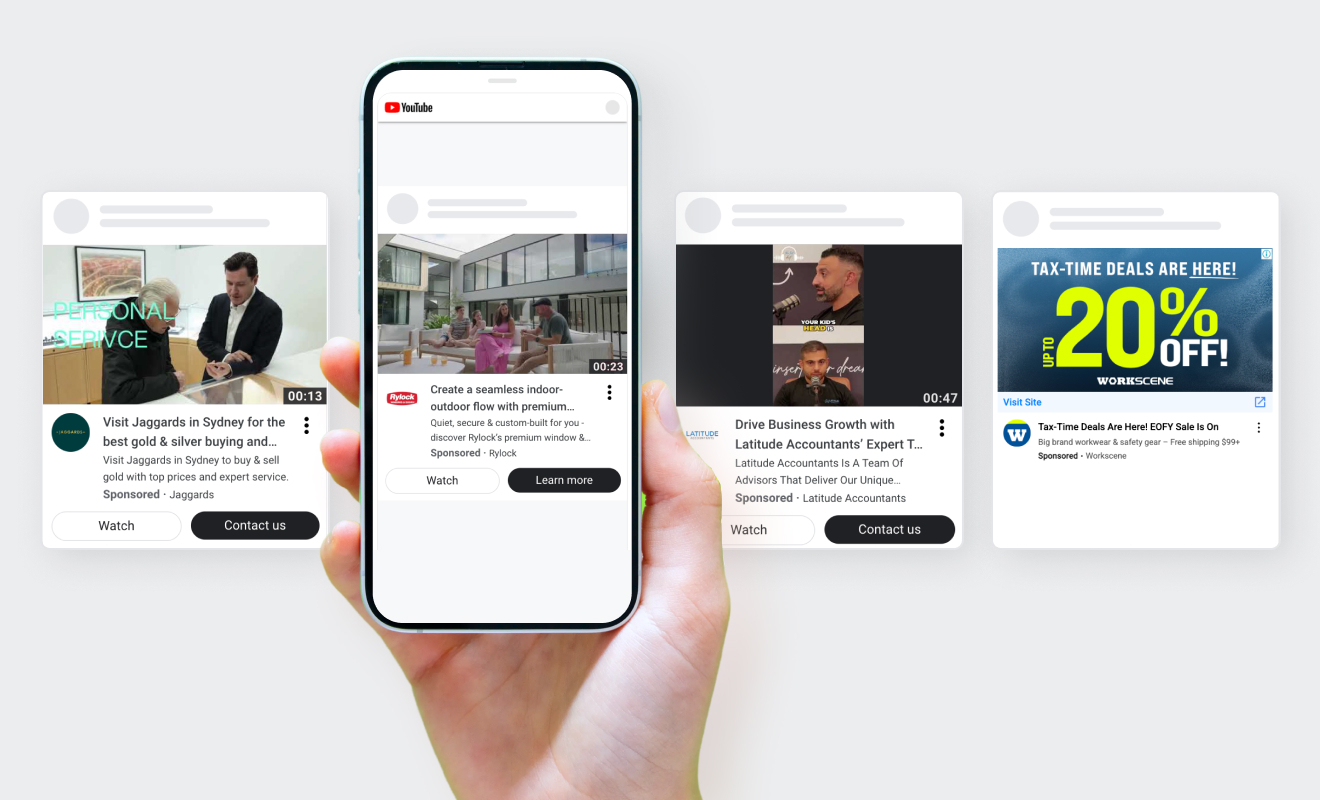

Google just rewrote the rules of paid search. At Google Marketing Live 2026, they announced a suite of AI-native ad formats designed to live inside AI Mode, the conversational search experience that is fast replacing the traditional results page. Conversational Discovery ads, Highlighted Answers, Business Agent for Leads. Formats that look nothing like the text ads you have been running for the last decade.
For ecommerce brands, this creates a real problem. When the platform changes, the algorithm gets more creative control. And when the algorithm gets more creative control without the right guardrails in place, it finds creative ways to spend your budget.
This post is not about whether AI Search ads will work. They will, for the right brands, eventually. It is about what to do right now so you are not funding Google’s learning curve with your ad spend.
What Has Actually Changed With Google AI Search Ads
Traditional Search ads had a simple job. Match a keyword, show a text ad, capture a click. You controlled the message, the landing page, and the targeting. Performance was straightforward to measure: impressions, CTR, conversions.
AI Search flips this. Instead of matching keywords, Google’s AI reads the intent behind a conversation and decides which ads fit. The new formats (Conversational Discovery, Highlighted Answers, Business Agent) are designed to feel like part of the conversation, not interruptions to it.
That sounds good in theory. In practice, it means:
- More discretion for Google: the algorithm decides when your ad appears, not just your keywords
- AI-generated creative: headlines, descriptions, and in some formats the entire ad unit can be generated automatically
- Broken benchmarks: traditional impression and CTR numbers no longer mean what they used to
- Hidden placements: your Performance Max campaign may already be serving into AI Search placements without you realising
At DNM Digital, we are already seeing this play out in client accounts. The brands that are prepared are treating this as an opportunity. The ones that are not are looking at numbers that simply do not make sense.
The Three Budget Risks You Need to Address Now
1. Unchecked AI Creative
Google’s AI can now generate ad creative on your behalf. That includes headlines, descriptions, and in some formats the entire ad unit. If you have not reviewed your asset quality scores and locked down your creative inputs, the algorithm will fill the gaps itself.
The fix: audit your asset groups in Performance Max. Remove low-quality or off-brand assets. The more high-quality inputs you give the algorithm, the less it improvises.
2. Audience Exclusions You Have Not Set
One of the most important updates from GML 2026 is Performance Max audience exclusions. For the first time, you can hard-exclude Customer Match lists and remarketing audiences from PMax delivery. Previously, those audiences could only be used as signals. You could not stop PMax from targeting them.
This matters for budget because PMax will happily serve ads to existing customers, repeat visitors, and people who have already converted. You end up paying for conversions you would have got for free. If you have not set exclusions, that is almost certainly happening in your account right now.
3. Benchmarks That No Longer Apply
AI Mode ads are measured differently. A click in a conversational AI interface is not the same as a click on a standard search result. If you are comparing your current CTR or ROAS against last quarter without accounting for format mix, you are making decisions based on broken data.
The fix: segment your reporting by campaign type and placement. Establish new baselines for AI-native placements separately from standard Search. Use your own unit economics (max CPA, target LTV, break-even ROAS) as the anchor. Industry benchmarks are useless right now. If you do not know your max CPA, calculate it before you touch anything else.
What to Actually Do This Week
You do not need to overhaul your entire Google Ads account. You need three things in place before AI Search scales further:
- Lock your creative inputs. Review every asset group in PMax. Add high-quality images, headlines, and descriptions. Remove anything that is not on-brand.
- Set your audience exclusions. Add your Customer Match lists and converted customer audiences as hard exclusions in PMax campaign settings. This is now possible. Do it today.
- Reset your benchmarks. Use your max CPA and break-even ROAS as your north star, not CTR or impression share. Use the Google Ads Budget Calculator to make sure your targets are grounded in your actual unit economics.
How Much Control Should You Actually Give Google?
This is the real question. Google’s AI gets better the more you let it learn. But letting it learn without guardrails is a fast way to burn through budget with nothing to show for it.
Our approach at DNM Digital: give the algorithm a defined lane, not an open road. Set firm CPA targets. Exclude audiences it should not touch. Feed it quality creative. Then let it optimise within those constraints.
The brands that resist AI Search entirely will fall behind. The brands that hand over the keys completely will get burned. The ones that find the middle ground (clear inputs, tight exclusions, revenue-anchored targets) are the ones who will come out ahead.
If you are running Google Ads and have not reviewed your PMax settings since GML 2026, now is the time. The platform has changed. Your campaign structure should too. And if your conversion rate is not where it needs to be, no amount of AI optimisation will fix that for you.
The Bottom Line
AI Search ads are not optional. Google is moving the entire platform in this direction and ads will follow. The question is not whether to participate. It is whether you are set up to do it without wasting spend while the formats mature.
Three things protect your budget right now: clean creative inputs, audience exclusions, and revenue-first benchmarks. Everything else is noise.
If you want a second set of eyes on your Google Ads setup before AI Search scales further, we are happy to take a look.